For diners
Rank your favorite restaurants — without star ratings
Every restaurant on every app is somehow 4.3 stars. Bentu ranks the places you eat the way your brain actually works: this one versus that one, head to head.
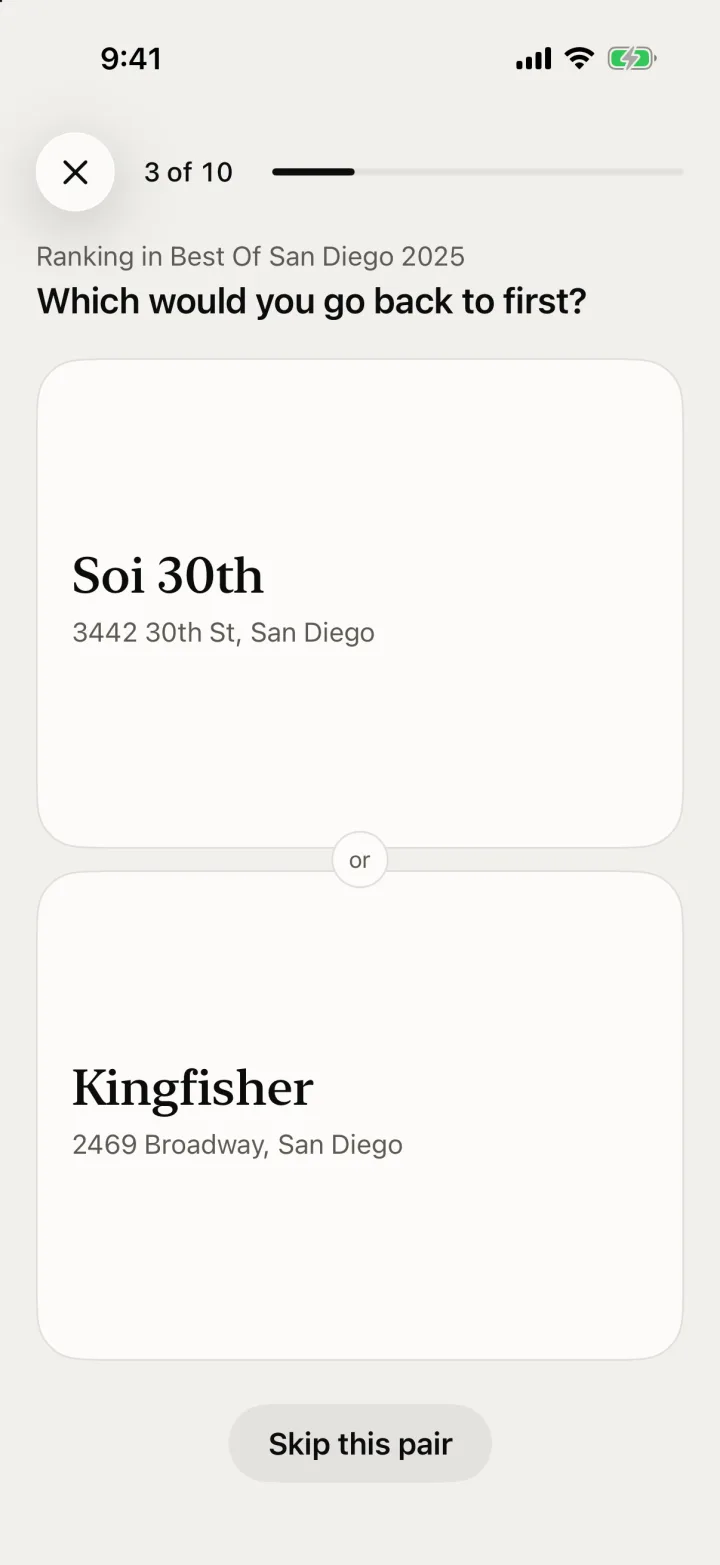
Why don’t star ratings work for ranking restaurants?
Quick: is your favorite taco spot a 4 or a 5? Would you demote it to 3.5 after one slow night? Star ratings make you grade each place on its own, and there are only five grades. Rate 40 places on a five-star scale and at least eight of them share a number; with half stars, at least five still tie. The places you like most end up bunched together, and the list can’t tell you which one to pick tonight.
Comparisons are different. “Did you like the tacos at El Camino more than the ones at La Salsa?” — that question you can answer instantly. Bentu asks you a handful of quick head-to-head match-ups and scores your answers with a Bradley–Terry model, the paired-comparison model that chess’s Elo rating is a special case of. The more you compare, the sharper your list gets.
Four ways to rank restaurants, compared
Most people who keep track of where they eat use one of four methods. They feel the same with ten places; they come apart once the list gets long.
None of them is wrong. Stars are quick and fine for a handful of places. A notes app is the most flexible and the least ordered. Putting a list in order by hand works until every new place means rethinking the whole list. Head-to-head picks take a few seconds per place and hold up as the list grows, because every question stays the size of two places.
| Compared on | Star ratings | A notes app or spreadsheet | A list you order by hand | Head-to-head picks (Bentu) |
|---|---|---|---|---|
| Adding a new place | Pick a number from 1 to 5 | Type it in, with whatever you want to remember | Decide where it goes against every place above and below it | Answer a few “which would you go back to first?” questions |
| Ties | Many: five numbers for every place you’ve been | No order unless you sort it yourself | None, but you decide every position | None; close calls settle as you compare more |
| As the list grows | Old and new numbers drift apart in meaning | Long and hard to scan | Each new place gets harder to slot in | Each question is still about two places |
| Notes and visit history | Usually just the number | Yes, in whatever form you keep | Depends on the app | Notes, visit dates and your feedback, with each place |
| On a map | Depends on the app | Not unless you build one | Depends on the app | Your passport map, and a map for every list |
| Sharing with a friend | The number, without the reason | Copy and paste | Depends on the app | A link to the list, with its map and your notes |
How a head-to-head ranking works on Bentu
You never assign a score. You answer one question at a time, and the order comes from your answers:
- Leave feedback at the places you go, or add them to a list. Comparing starts once you have five places.
- Bentu shows two places and asks “Which would you go back to first?” Skip any pair you can’t call.
- The list reorders as you answer. A place you’ve compared only a few times is marked as still settling.
- Rank a new place later with a few comparisons of its own; you never start the list over.
A list for every craving
Your rankings live in lists you design: best pizza in town, date-night spots, cheap lunches near the office, places to take your parents. Add any restaurant, compare a few pairs, and watch the order sort itself.
Every place you rate also lands on your passport map — a personal map of everywhere you’ve eaten, with your ratings, visit dates, and notes. Years from now, “what was that amazing noodle place from that trip?” takes five seconds to answer.
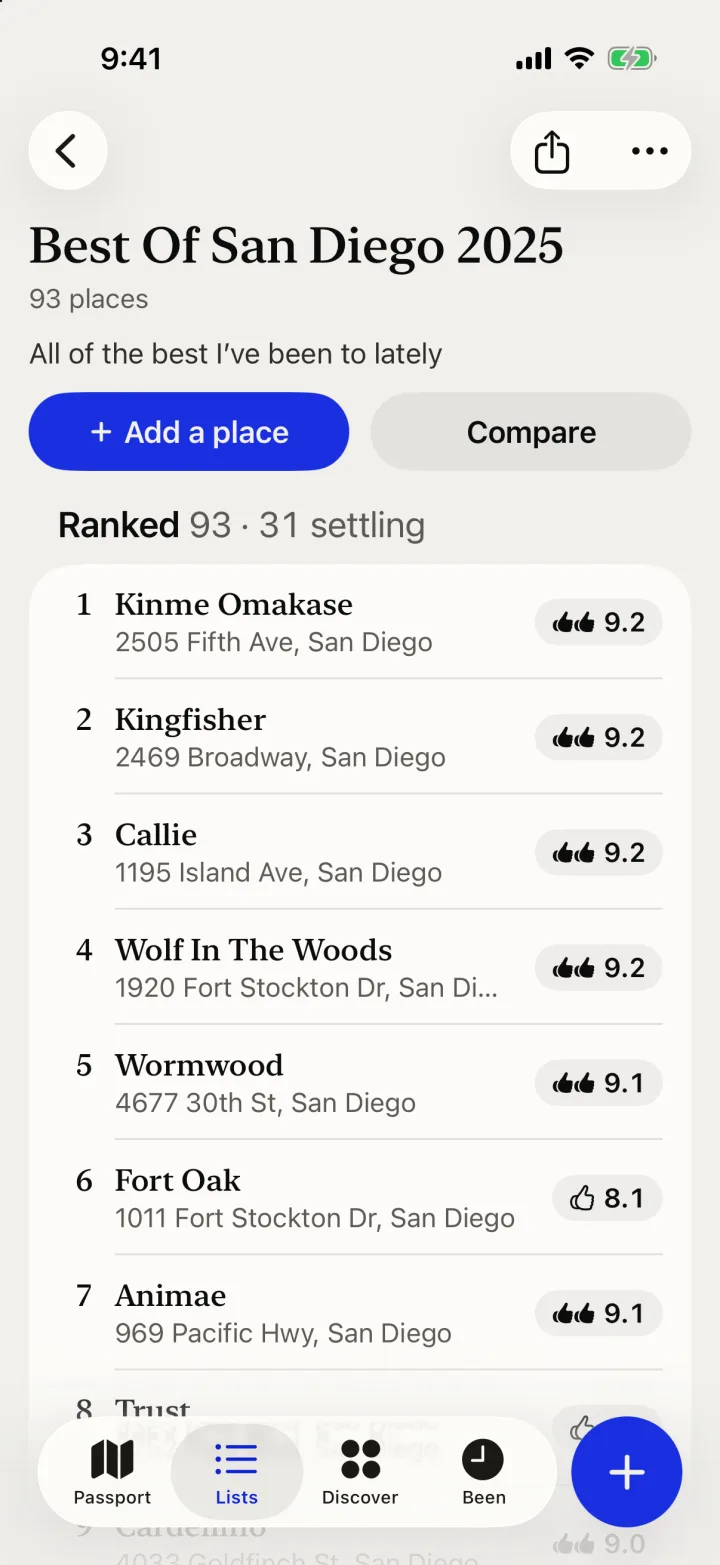
Share lists friends actually use
When someone asks for recommendations, don’t text them five names they’ll forget. Send your list — a browsable page with a map, your ranking, and your notes. It’s your taste, made useful.
Lists are the one thing on Bentu you can make public, and you decide which. A new list starts out public, so it shows in Discover and to anyone with the link, notes included; switch Public off and it’s yours alone. Your visits, feedback and passport map are never public: Bentu is not a review site.
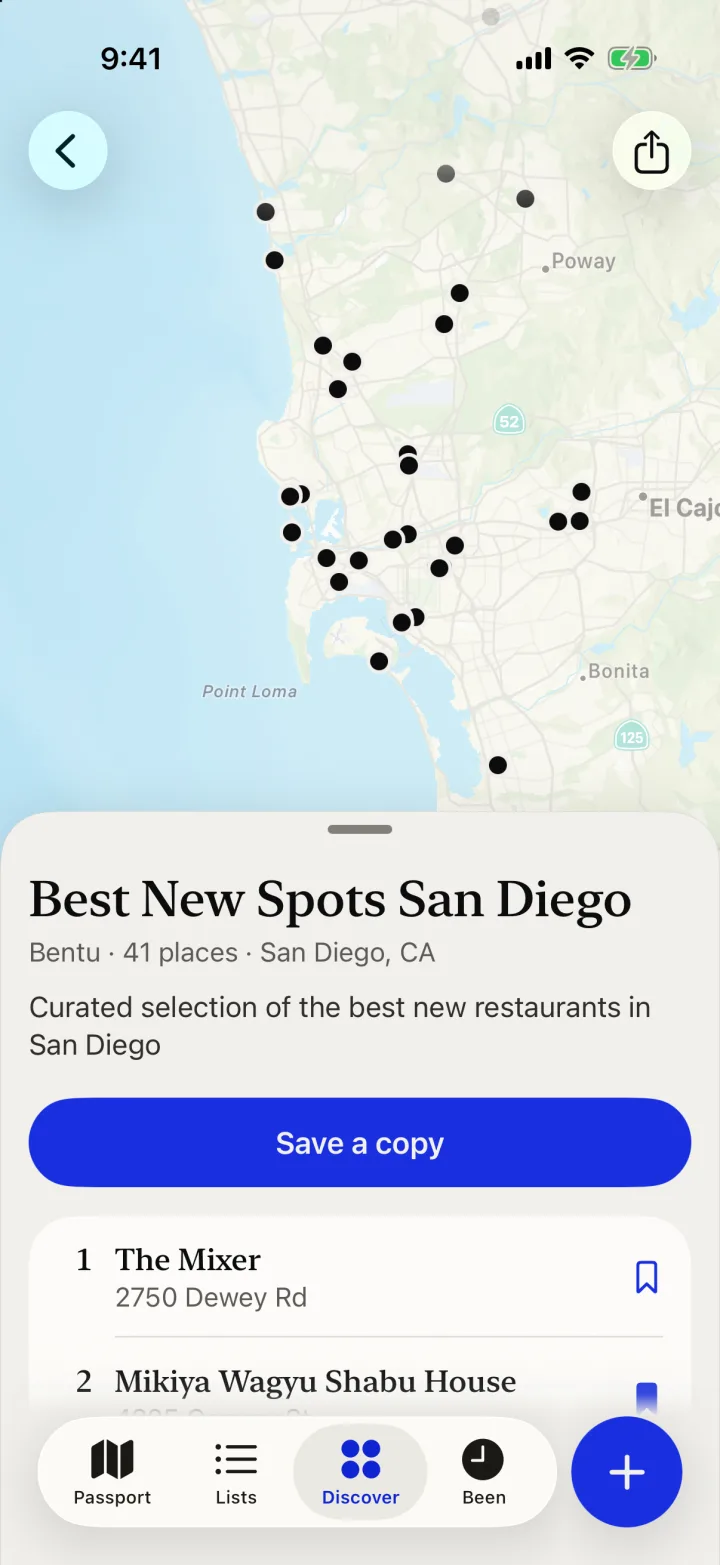
Looking for a Beli alternative?
Beli describes itself as a way to “track and share your favorite restaurants with your friends”: lists and maps of where you’ve been and want to try, a look at where your friends are eating, and recommendations, in apps on the App Store and Google Play. If seeing where your friends eat is what you’re after, that’s what it’s made for.
Bentu starts from a different place. What you say about a visit goes privately to the restaurant once it has claimed its page, not to a feed. Your ranking comes from head-to-head picks, two places at a time. And it works in any browser today, with nothing to install. The one thing you share is a list you choose to make public.
Put Bentu on your Home Screen
Bentu runs in your browser on any phone or computer, with nothing to install. To open it like an app:
- On an iPhone or iPad, in Safari: tap Share, then Add to Home Screen.
- On Android, in Chrome: open the menu and choose Add to Home screen.
- On a computer: bookmark bentu.co.
Frequently asked questions
How does head-to-head ranking work?
Bentu shows you two places from your list and asks which you’d go back to first. A few of those quick answers are enough to put the whole list in order, using a Bradley–Terry model (the paired-comparison model behind chess-style ratings), and it keeps refining as you go.
How is this better than rating places with stars?
Stars give you five grades for every place you’ve been, so your favorites tie. A comparison asks something you can answer at once, this place or that one, and the answers add up to an order with no ties.
Are my rankings and notes public?
Your visits, your feedback and your passport map are never public. Lists are your choice: the New list sheet starts with Public on, and a public list shows in Discover and to anyone with its link, with the notes you add to it. Turn Public off when you make a list, or edit it later, to keep it to yourself.
Is Bentu free?
Yes — free for diners: rankings, lists, notes, the passport map, and sharing.
Do I need to download an app?
No. Bentu runs in your browser on any phone or laptop — visit bentu.co and you’re in. Add it to your Home Screen to open it like an app.
Sources
Build your ranked food journal
Free for diners. Your taste, finally organized.